



How can I use an IP web proxy in BitBrowser?

BitBrowser Official Website: https://www.bitbrowser.net
10 browser window environments, permanently free. Deeply developed based on the Google kernel, it can simulate real device information at the physical level, achieve deep anonymization of proxy IPs, ensure 100% no association between browser windows, and highly maintain the cleanliness of the browser environment. It is an essential tool for opening multiple browser windows, logging in to multiple accounts, preventing association and account bans! It comes with the BitBrowser Group Control System (completely free to use), supporting one-click multi-window functions such as mouse and keyboard synchronization, window arrangement, tab synchronization, simultaneous input of identical and different texts, one-click identification and input of verification codes, and more!
ipweb Official Website: https://ipweb.cc
ipweb provides pure residential proxy IPs, with a 70 million IP pool, high purity, and global distribution. It supports ten-million-level concurrency, covering more than 220 countries/regions and 20,000+ cities worldwide. Recharged traffic never expires, the number of IPs is unlimited, and there are no hidden charges! With self-built channels, it offers the most competitive global prices and the most stable quality, with free trials available!
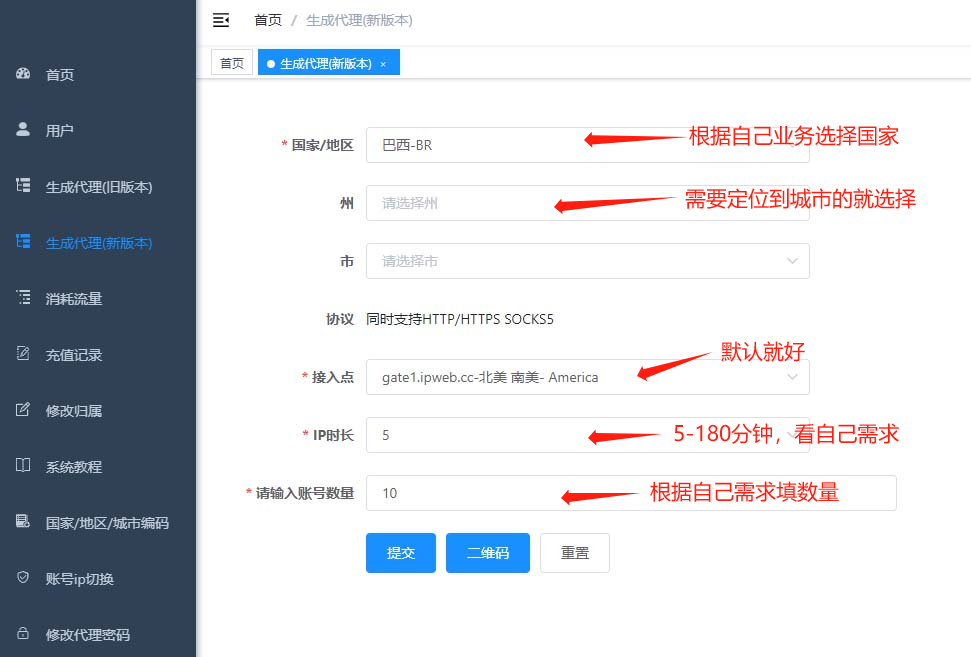
Step 1: Log in to the ipweb platform and export proxy IP information, as shown in the figure below:
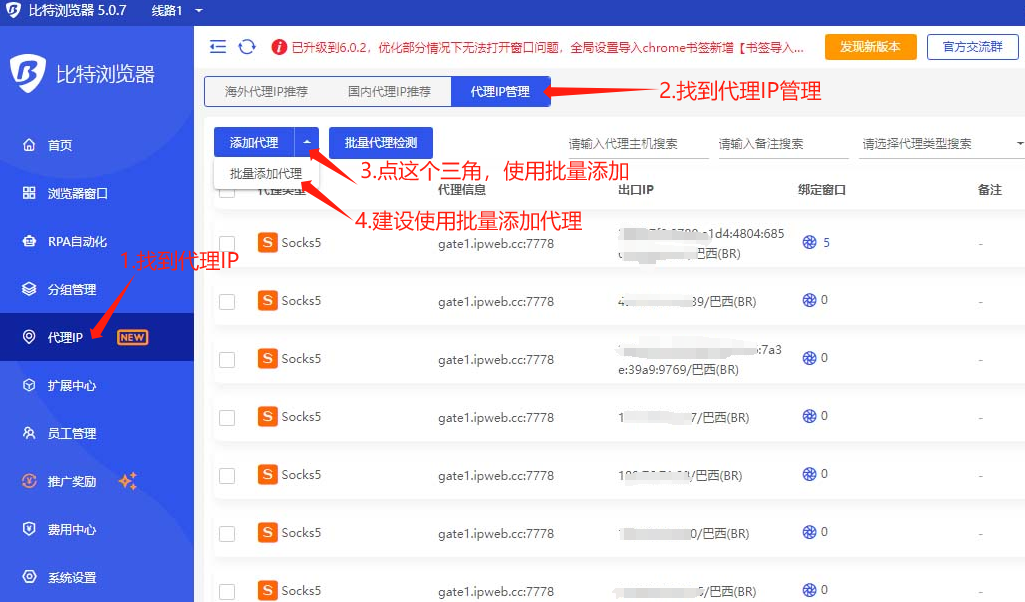
 Step 2: Log in to BitBrowser, find the "Proxy IP" button, as shown in the figure below:
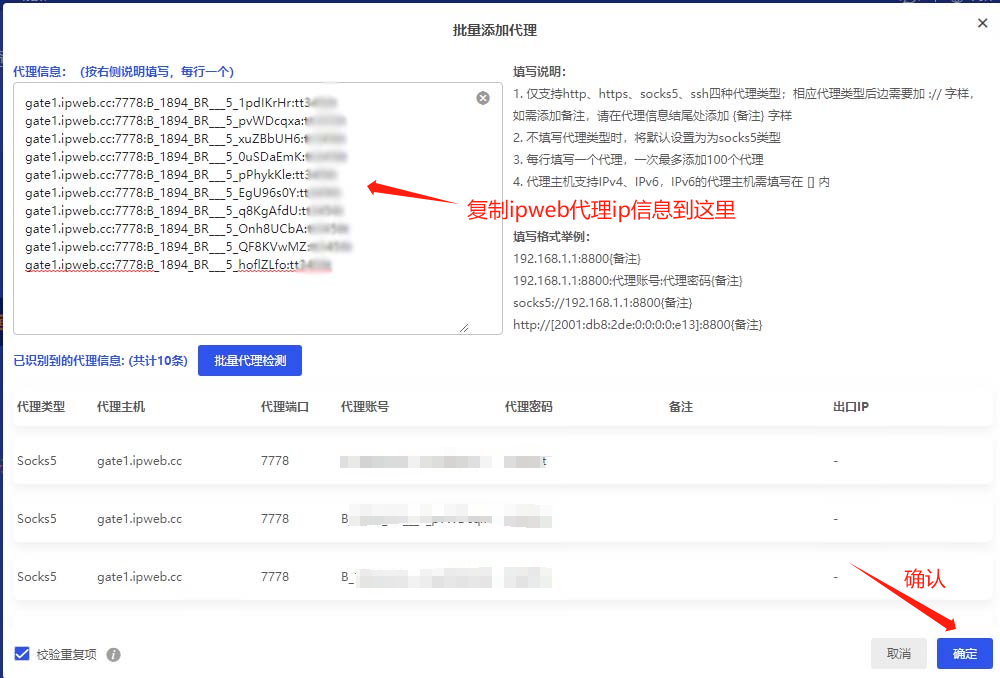
Step 3: Import proxy IP information in batches, as shown in the figure below:
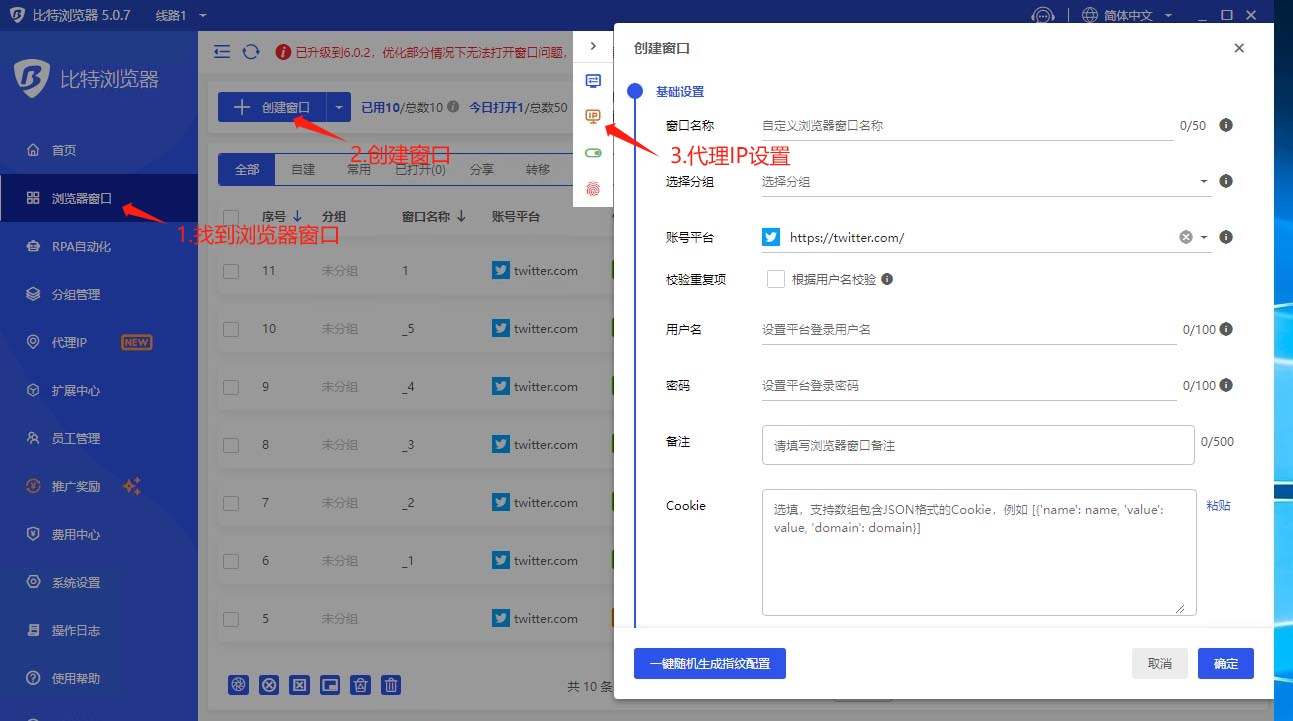
Step 4: Click the "Create Window" button on the browser window interface, as shown in the figure below:
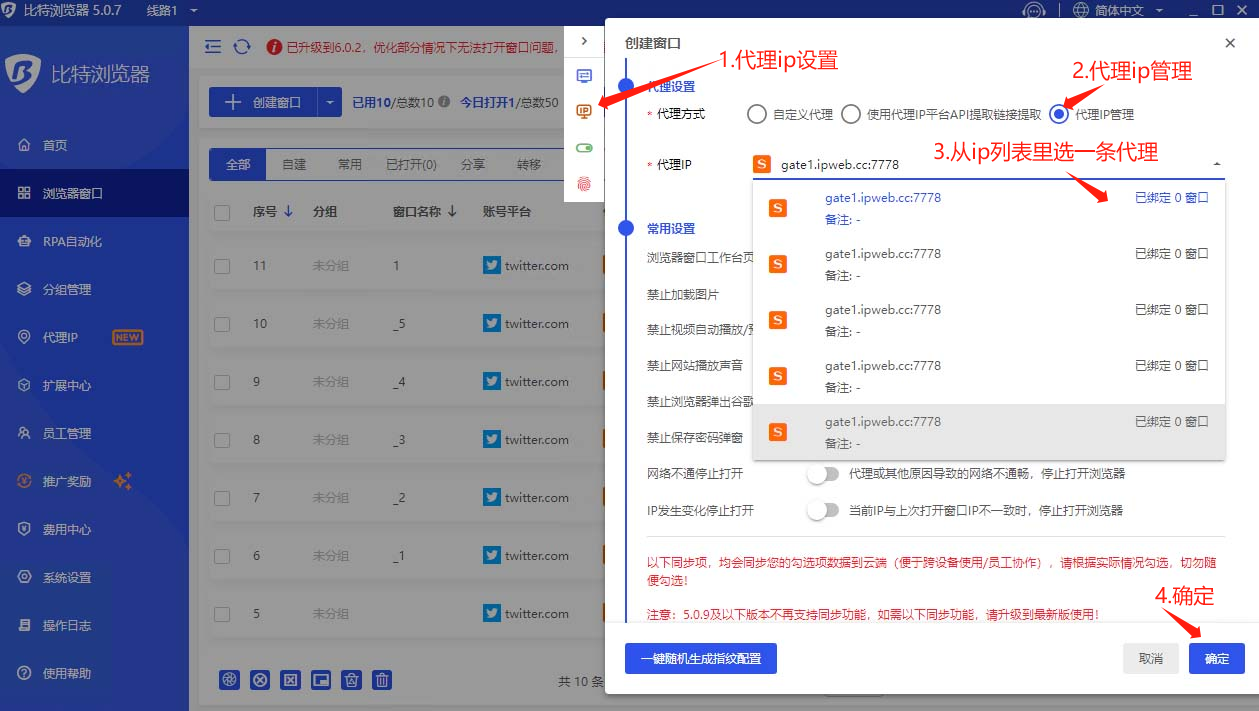
Step 5: Find the IP icon. Select one from the Proxy IP Management and bind it to the window, as shown in the figure below:
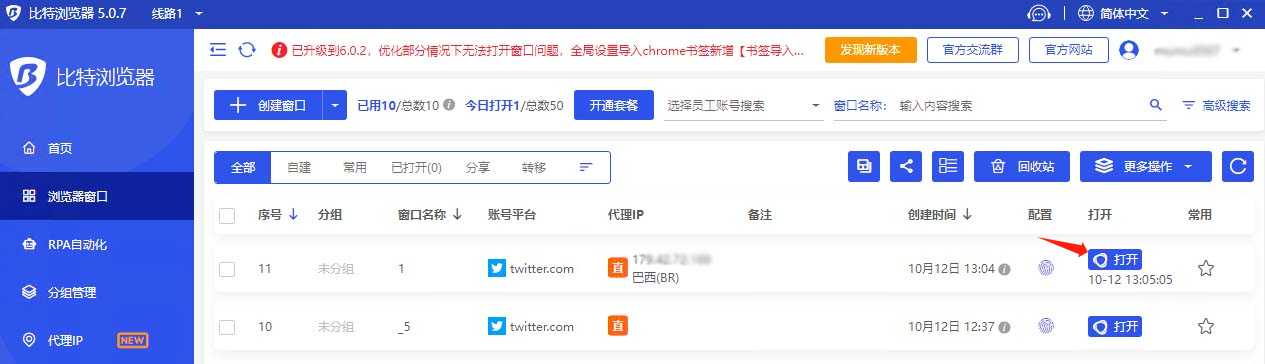
Step 6: On the "Browser Windows" page, find the newly configured window and click the "Open" button to access websites using the ipweb proxy!
Step 2: Log in to BitBrowser, find the "Proxy IP" button, as shown in the figure below:
Step 3: Import proxy IP information in batches, as shown in the figure below:
Step 4: Click the "Create Window" button on the browser window interface, as shown in the figure below:
Step 5: Find the IP icon. Select one from the Proxy IP Management and bind it to the window, as shown in the figure below:
Step 6: On the "Browser Windows" page, find the newly configured window and click the "Open" button to access websites using the ipweb proxy!
 Step 2: Log in to BitBrowser, find the "Proxy IP" button, as shown in the figure below:
 Step 3: Import proxy IP information in batches, as shown in the figure below:
 Step 4: Click the "Create Window" button on the browser window interface, as shown in the figure below:
 Step 5: Find the IP icon. Select one from the Proxy IP Management and bind it to the window, as shown in the figure below:
 Step 6: On the "Browser Windows" page, find the newly configured window and click the "Open" button to access websites using the ipweb proxy!


Copyrights:admin Posted on 2023-10-16 14:02:14。
Please specify source if reproducedHow can I use an IP web proxy in BitBrowser? | 2345Nav toolset
Please specify source if reproducedHow can I use an IP web proxy in BitBrowser? | 2345Nav toolset